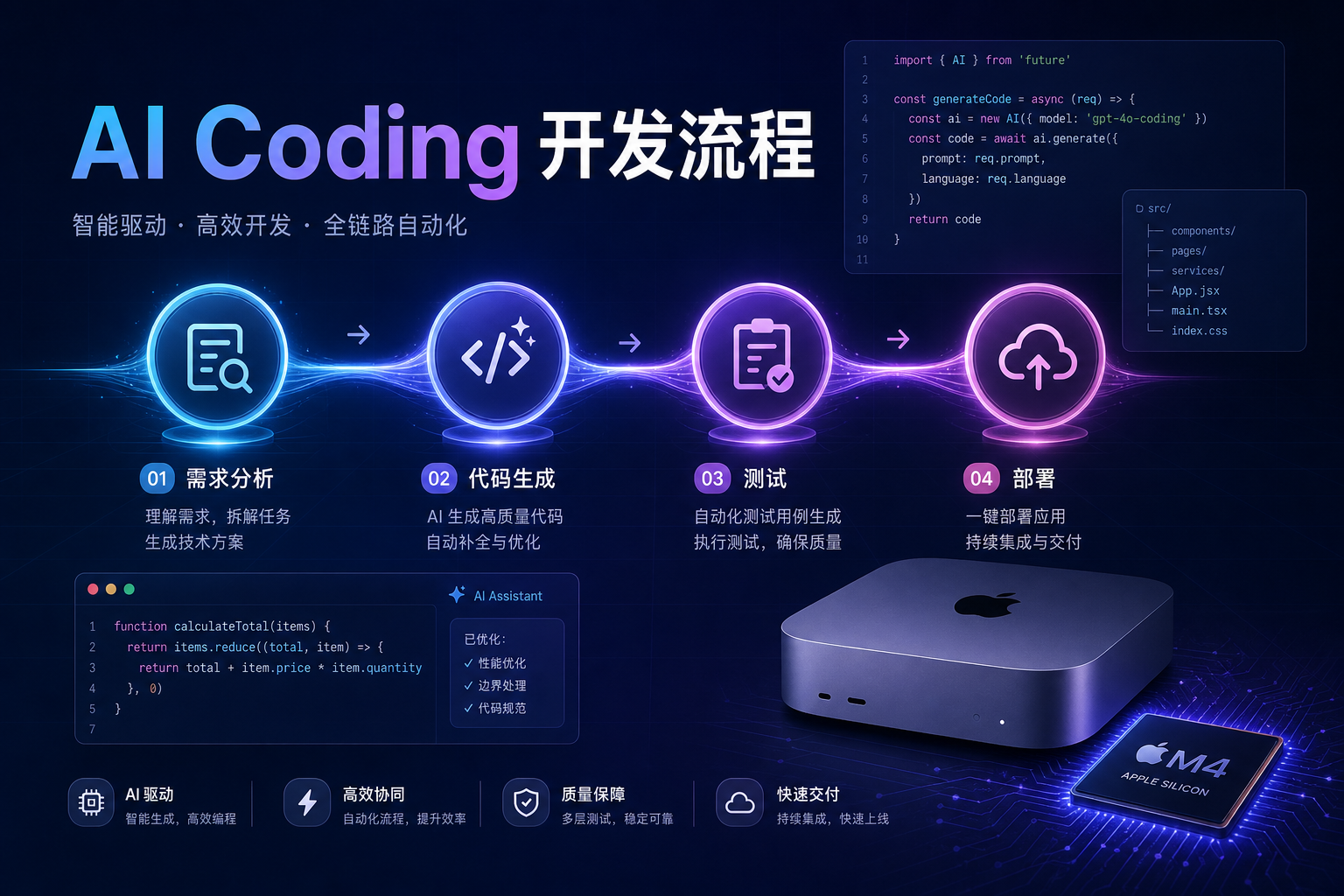
You have used AI to write code—but have you thought about the gap between “using AI to write code” and running a real AI Coding workflow? It is not just one or two tools. It is a full mindset shift.
In 2026, more indie developers and small teams are no longer satisfied with “have AI autocomplete a function.” They embed AI across requirements analysis, code generation, testing, CI, and production deployment. The real questions are: How do you run this end to end? What breaks along the way? Is your hardware actually keeping up? This article breaks down the full workflow from hands-on practice.
Quick Answer: AI Coding in five stages
(As of July 2026, for indie developers and 2–10 person teams)
| Stage | Core work | Recommended tools | AI involvement | Typical time share |
|---|---|---|---|---|
| ① Requirements breakdown | Turn business needs into executable technical tasks and prompts | Gemini 2.5 Pro / ChatGPT | Assist | ~15% |
| ② Code generation | Produce first-draft code from task descriptions | Claude Code / Cursor | Primary | ~25% |
| ③ Code review | Human + AI review for logic and security boundaries | Cursor / GitHub Copilot | Collaborative | ~20% |
| ④ Testing & debugging | Generate tests, run suites, validate locally | Claude Code (Agentic) | Primary | ~25% |
| ⑤ Deploy | CI/CD automated build and release | GitHub Actions / Vercel | Assist | ~15% |
Stage 1: Requirements breakdown & prompt engineering
Many people treat requirements breakdown as “throw the spec at AI.” That is one of the most common AI Coding mistakes. Effective prompt engineering has three layers:
- Goal layer: What business outcome does this feature need? State it in one sentence.
- Constraint layer: Stack, performance, security boundaries, and what is explicitly out of scope.
- Output layer: Expected code shape, file layout, and test coverage.
Real example: an indie developer needs user registration. A low-quality prompt looks like this—
Help me write a user registration feature.
A high-quality prompt looks like this—
Implement a user registration API with Node.js + Express + PostgreSQL. Requirements: email verification code signup; 6-digit code, 10-minute expiry, cached in Redis; hash passwords with bcrypt; return a JWT token; never store sensitive data in plaintext; include unit tests (Jest) covering successful signup, duplicate email, and expired verification code.
The gap between these two often shows up as 5–10 rounds of back-and-forth rework. A solid requirements doc can save roughly 40% of later adjustment time.
Recommended tools for the requirements phase
- Gemini 2.5 Pro: Very long context (1M tokens)—good for feeding full specs plus design docs and getting a technical breakdown.
- ChatGPT (GPT-5.6): Strong at iterative clarification and nuanced follow-up questions.
- AGENTS.md (Cursor convention file): Put team rules in the project root so AI follows the same coding standards every session.
Stage 2: AI code generation
This is the highest-leverage—and easiest-to-mess-up—stage in AI Coding. In 2026, mainstream generators can ship multi-file feature modules in one pass, but a few rules matter:
Pick the right tool
| Tool | Core strength | Best fit | Watch out for |
|---|---|---|---|
| Claude Code | Strong Agentic workflows—can run terminal commands and tests autonomously | Complex modules, cross-file refactors | Needs sufficient permissions (Full Disk Access) |
| Cursor | Deep IDE integration, precise code awareness, multi-file edits | Daily development, feature iteration, completion | Large repos benefit from AGENTS.md guardrails |
| GitHub Copilot | Smooth GitHub integration and inline completion | Small edits in existing repos, fast completions | Weaker on complex architecture than Claude Code |
The right way to generate code
Do not expect one prompt to produce perfect code—but you can converge fast with layered generation:
- Scaffold first: Ask AI for file structure, interfaces, and function signatures—no implementation yet.
- Fill in modules: Implement one module at a time so each change stays bounded.
- Integrate last: Wire modules together and have AI verify interfaces and data flow.
Stage 3: Code review—the human-in-the-loop checkpoint
AI-generated code is not done when the model stops typing. Review still needs a human, for a simple reason: AI does not know your business context—it only knows your prompt.
Three review priorities
- Security boundaries
- AI often misses input validation, SQL injection defenses, and authorization checks. Scrutinize user input handling and auth code.
- Business logic correctness
- AI cannot see your historical data or user behavior patterns. Edge cases—nulls, concurrency conflicts, timeout retries—need manual verification.
- Performance risks
- Generated queries may lack index hints; N+1 queries inside loops are common. Use explain or a profiler on hot paths during review.
Use AI to speed up review
Review itself can be AI-assisted. Send snippets to Claude or Cursor and ask it to find:
- Potential security issues (XSS, CSRF, injection)
- Unhandled exception branches
- Code that violates project conventions
This “AI reviews AI-generated code” pattern catches roughly 60%–70% of low-level mistakes in practice and cuts manual review load significantly.
Stage 4: Local testing & debugging
Testing is the stage most sensitive to hardware performance in an AI Coding workflow. Claude Code’s Agentic mode can generate tests, run npm test or pytest, read failure logs, patch code, and re-run—often with little manual intervention.
But loop speed depends heavily on your machine:
- File indexing: AI scans the whole project to build context
- Compile speed: each fix may trigger a rebuild—especially painful on Swift / Kotlin projects
- Test parallelism: CPU/IO load when multiple suites run at once
How the Agentic test loop works
With Claude Code, one full Agentic test cycle looks like this:
1. Claude Code reads project structure (file tree scan)
2. Generate test cases (pytest / Jest / XCTest)
3. Run `npm run test` or `pytest -x`
4. Parse failure logs (line number and root cause)
5. Patch source code
6. Re-run tests
7. Loop until all tests pass
On a slow machine each round can take 3–5 minutes; on an M4 Mac Mini it often finishes in about 40 seconds. A 10× speed gap directly determines how many iterations you can run in a day.
Stage 5: CI/CD & automated deployment
After local tests pass, code moves into automated deployment. Most AI Coding projects in 2026 follow a flow like this:
AI’s newer role in CI/CD
CI/CD in 2026 is not just “run scripts”—AI is increasingly in the loop:
- Auto-generate GitHub Actions configs: Describe your deploy needs to Claude and get usable
.github/workflows/YAML. - CI failure diagnosis: Some teams use AI bots on failed PR checks to post root-cause analysis and fix suggestions.
- Smarter rollback: Monitor anomalies and trigger rollbacks without someone on call.
Choosing a deployment target
| Project type | Recommended stack | Notes |
|---|---|---|
| Static frontend | Vercel / Cloudflare Pages | Zero-config; git push deploys with global CDN |
| Node.js / Python backend | Railway / Fly.io / self-hosted VPS | Pay-as-you-go; good for small and mid projects |
| iOS / macOS apps | Xcode Cloud / self-hosted Mac CI | Needs native macOS; signing and certificates |
| AI inference services | Cloud Mac + Ollama / RunPod | Apple Silicon has a clear edge for local inference |
Hardware: the underestimated AI Coding multiplier
Many developers obsess over tools and overlook something more fundamental: local hardware is the physical ceiling of your entire AI Coding workflow.
Cloud API latency governs model response time, but these operations run entirely on your machine:
- Cursor project indexing (slower on larger repos)
- Claude Code terminal work (compile, test, lint)
- Docker container startup and runtime
- Local Ollama inference (if you use on-device models)
- Xcode builds (a familiar pain for iOS/macOS developers)
Why Apple Silicon Mac is the best AI Coding partner
This is architecture, not brand loyalty:
- Unified memory (UMA): CPU, GPU, and Neural Engine share one pool—local inference avoids cross-bus copies and stays low-latency.
- High I/O bandwidth: NVMe reads over 7GB/s; file-scan tasks (like Cursor indexing) are often 3–4× faster than older machines.
- Native Unix environment: macOS runs Docker, Node.js, Python, and Homebrew without Windows WSL permission quirks—higher success rate when agents run shell commands.
- Efficient sustained performance: M4 chips throttle less aggressively than older Intel parts under load, so CI build times stay more predictable.
“After we moved from Windows workstations to cloud M4 Mac Mini nodes, Claude Code’s per-round test loop dropped from ~5 minutes to ~45 seconds. Daily iteration rounds went from about 20 to 80.” — feedback from an indie developer
For global SaaS, iOS apps, or AI inference workloads, a capable Mac is the most direct efficiency investment—but a maxed M4 Ultra can cost tens of thousands of dollars upfront. That is why renting a cloud Mac Mini is increasingly popular: pay by day/week/month, scale on demand, deploy in minutes, and get M4-native compute without a big hardware purchase.
Daily rental · deploy in 5 minutes · 5 global regions
Pitfalls: seven frequent mistakes in AI Coding workflows
- Vague prompts: “Build a login feature” loses to “JWT + Redis session + email verification code login API.”
- Skipping local tests: AI code often passes the happy path; edge cases only show up under test.
- No AGENTS.md: Without guardrails, every new chat drifts to the model’s default style.
- One-shot huge modules: Generating 500+ lines at once makes the model lose context and contradict itself later.
- Ignoring security review: Auth and input validation from AI are often too loose—review security-critical paths by hand.
- Underpowered hardware: Slow Agentic test loops cap daily iterations and erase AI gains.
- No CI/CD: Manual deploys waste time and invite human error.
FAQ
What is the biggest difference between AI Coding and traditional development?
Role split. In traditional workflows developers write most code and AI is ancillary; in AI Coding, AI drafts 60%–80% of the code while developers focus on requirements breakdown, prompt engineering, review, and architecture. It demands broader skills but can lift overall throughput 3–5×.
What are the easiest pitfalls in an AI Coding workflow?
Three stand out: ① prompts too vague, so generated code drifts and rework eats the savings; ② skipping local tests and shipping boundary bugs to production; ③ weak local hardware slowing Agentic test/compile loops and canceling AI efficiency gains.
Why is Mac recommended for AI Coding?
Apple Silicon unified memory helps local inference, file indexing, and parallel compiles. In practice, M4 Mac Mini running Claude Code Agentic workflows scans files and runs unit tests ~30%–40% faster than similarly priced Windows machines. macOS’s native Unix stack also plays nicer with Docker, Node.js, and Python—you rarely hit WSL permission issues.
Can developers without a Mac use a cloud Mac?
Yes. Cloud Mac Mini nodes connect over SSH or VNC; Cursor, Claude Code, and Xcode all run normally. For iOS/macOS work, cloud Mac also removes the “no Mac, no Apple build” hardware barrier. Macstripe offers daily M4 Mac Mini rental with ~5-minute provisioning—good for spikes and sprint weeks.
