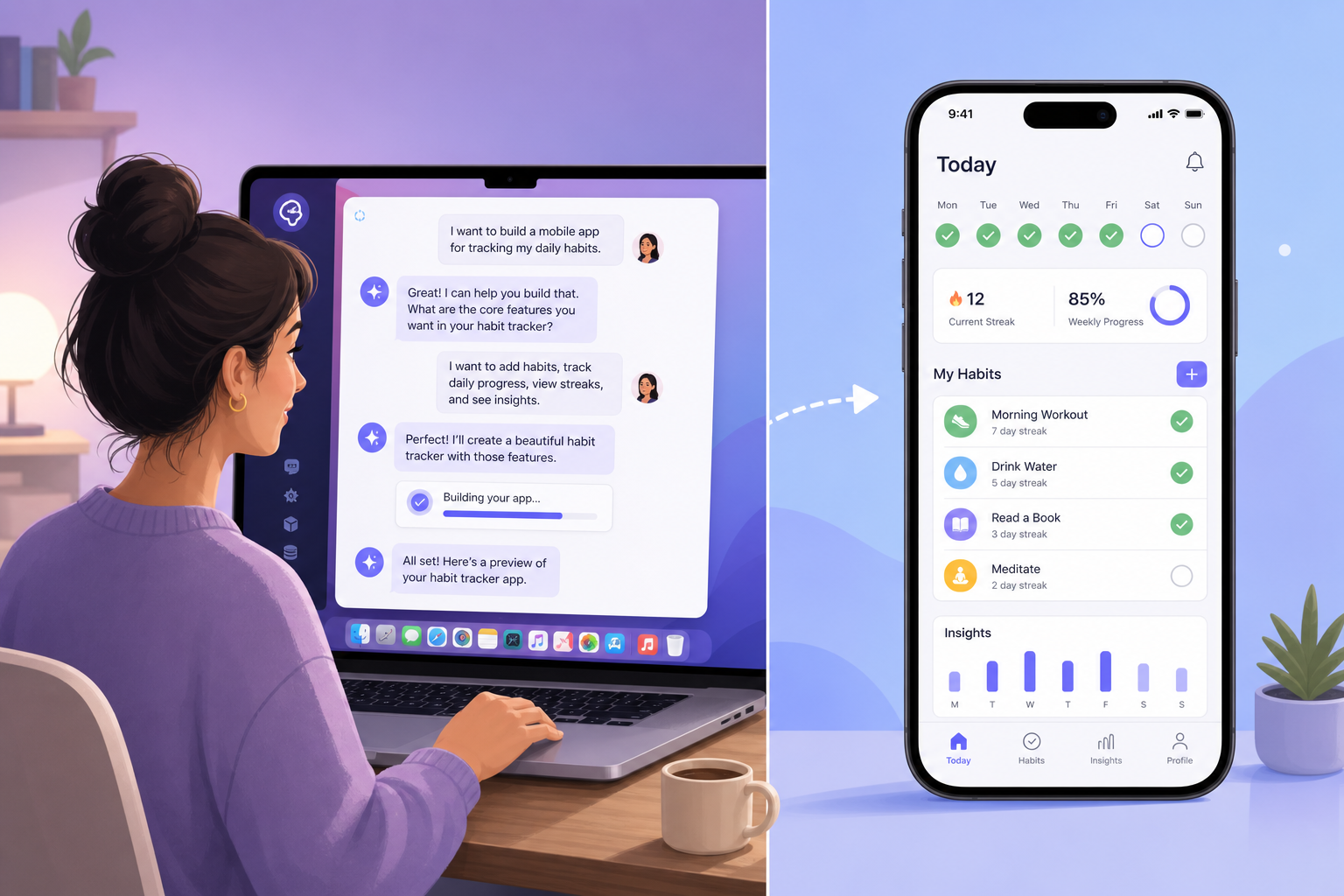
In 2026 short-form video, a familiar story keeps playing: tell ChatGPT a few sentences, build an app in thirty minutes, launch on the App Store the next day and rake in revenue. If you can't code at all, you probably hear two voices — "Could I do that too?" and "Is this just another scam pitch?"
This article doesn't take sides: it won't hype "anyone can be a developer," and it won't dismiss everything as a rip-off. We're not chasing hot takes — we're looking at one thing: how far can someone with zero experience actually get with AI help — and where do most people stop.
1. Can AI Really Build an App?
The question itself is too vague. "Building an app" in 2026 has at least three layers of meaning — many debates about reliability come from mixing all three together:
| Level | What it means | Perceived difficulty | Typical timeline |
|---|---|---|---|
| L1: Demo-ready | Clickable UI, core flow works, good enough to screen-record and share | Easiest entry point | Days to two weeks |
| L2: Shippable | Passes store review, real users can download, no fatal crashes | Gets hard fast | Weeks to months |
| L3: Maintainable | Can change requirements in month two, fix bugs, add payments/backend | Hardest to carry alone | Ongoing investment |
What short-form video shows is almost always L1: polished UI, smooth flow, dramatic music. But between L1 and L2 lies signing certificates, privacy compliance, edge cases, and review feedback — these don't disappear just because you "ask AI a few more questions."
So a more accurate question than "can AI build an app?" is: which level are you trying to reach? For L1, the 2026 toolchain is genuinely friendlier than three years ago. For L2 or L3, the question stops being "can the model write code?" and becomes who judges whether the code is correct, and who carries the engineering debt.
The biggest shift in AI coding isn't "models write better code" — it's that writing code is no longer the bottleneck; judging whether code is correct is.
2. Why Many Quit in Week Two
For zero-experience users building apps with AI, the most common curve is: excited in week one, going quiet in week two, project collecting dust in a folder by week three. This isn't a willpower problem — difficulty is unevenly distributed. AI helps you blast through early levels fast, but nobody carries you through the later ones.
We break the zero-experience growth path into five levels. AI can help you skip ahead, but the levels you can't skip tend to hit all at once in week two:
Level 0: Describe requirements
Can type and explain "what users see when they open the app, what happens when they tap a button." Almost everyone clears this.
Level 1: Get it running
See the UI in a browser or simulator; buttons respond. Need to learn Preview, or run npm run dev, and copy red error text from the terminal to AI. Most people stop here by end of week one — it already looks "done."
Level 2: Don't break
Empty data, offline, repeated taps don't white-screen or crash. AI-generated code almost never includes defensive programming by default. Many discover this when demoing to a third person: their app only works on the "happy path."
Level 3: Deliverable
Signing, icons, launch screen, privacy policy URL, store screenshot specs. Requires a Mac (iOS) or deployment knowledge. Most week-two dropouts get stuck on the 1→2 or 2→3 step — the UI exists, but it's not ready to hand to someone else.
Level 4: Maintainable
Change a feature a month later without breaking the whole app. Requires understanding project structure, version control, basic testing. This is the dividing line between "Vibe Coding" and "engineering" — you don't need to hand-write code, but you need to review diffs and accept that tests exist.
Time distribution for zero-experience users (14-day test mean — see Section 5):

  Describing requirements, tuning UI .............. 35%  ← week one mostly here
  Copying errors, retrying ...................... 40%  ← week two pain zone
  Figuring out signing/deploy/store rules ....... 20%
  Actually understanding code logic ............. 5%
Common week-two dropout reasons: AI didn't suddenly get dumber — the first working demo masked the remaining 60% of the work. You thought you were one more generation away; you're actually missing environment setup, edge cases, signing, and patience.
3. What AI Is Best At
Start with what AI genuinely helps with — this is also why short-form video isn't lying, it just only shows this part.
- Turn vague ideas into a first UI. "Build an expense tracker — home screen shows this month's spending" → clickable prototype in minutes. Bolt, Lovable, and v0 are especially fast.
- Generate boilerplate and scaffold code. List pages, forms, nav bars, common UI components — AI excels at "0 to 60."
- Explain errors and suggest fixes. Paste the full red text and you often get a direction to try (not always right on the first attempt).
- Write copy, name functions, add comments. For zero-experience users, this lowers the psychological barrier of "looking at code and freezing up."
- Rapidly try multiple approaches. "Switch to card layout," "add dark mode" — UI iteration is far faster than hand-coding.
Mapped to the skill ladder above, AI carries you almost entirely through levels 0–1. That's why "you can build something without knowing how to code" is real in 2026 — as long as your goal is a demo you can show someone.
Which tools amplify the strengths
| Tool / path | What it amplifies | Time to first result | Monthly cost |
|---|---|---|---|
| Bolt.new / Lovable | UI + first clickable prototype | ★★★★★ | $0–30 |
| v0 + Vercel | Landing pages, simple tool sites | ★★★★☆ | $0–20 |
| Cursor + template | Iterate on existing project, read diffs | ★★★☆☆ | ~$20 |
| ChatGPT / Claude chat | Explain concepts, single-file snippets | ★★★☆☆ | $0–20 |
If your goal is clearly L1 (demo-ready), AI in 2026 is quite reliable — provided you accept an 80-point demo and don't chase App Store polish in week one.
4. What AI Struggles With
Now the parts AI can't help with — or makes worse. Zero-experience users who crash in week two usually hit these walls.
1. Engineering environment, not writing code
Node versions, Xcode simulators, dependency conflicts, .env setup — AI often gives outdated or machine-incompatible commands. If you can't judge which to trust, you'll burn hours on "installing the environment."
2. Change A without breaking B
Without tests or architecture constraints, AI adds features faster than you can understand side effects. Later on, "fix one bug, spawn three new ones" becomes common.
3. Defensive programming and edge cases
Empty data, weak network, permission denied, double-submit — AI-generated code often only covers the demo path. A third person tries it and it breaks.
4. iOS "last mile"
"Building an app" often defaults to iPhone App in people's minds. Three mountains AI helps little with:
- macOS is required — build, sign, and upload to App Store Connect cannot be done on Windows
- Signing and certificates — Apple Developer $99/year, Bundle ID, Provisioning Profile; AI menu paths often don't match your Xcode version
- Review and compliance — privacy policy URL, permission explanations, placeholder copy, incomplete login flows — AI often omits items; rejections come from a "half-finished feel," not "AI wrote the code"
Full cost and workflow details in the iPhone App publishing cost breakdown and App Store submission engineering guide.
5. Long-term maintenance and tech debt
Month-two feature changes, payments, backend swaps — someone needs to understand project structure. Pure Vibe Coding (no reading code, no reviewing diffs) almost always collapses at this stage.
6. AI hallucinations
Fabricated APIs, outdated library names, configs that look plausible but don't run. Hardest for zero-experience users: you have no instinct for "this is nonsense."
| Failure type | How much AI helps | Typical zero-experience reaction |
|---|---|---|
| Environment won't install | Medium — often outdated commands | Reinstall repeatedly, or quit |
| Change A broke B | Low — gets messier | Start over |
| Signing / review | Low — need official docs | Assume "AI said it's fine" |
| Hallucinated API | Negative — trust accelerates error | Speed in wrong direction |
| Switching tools too often | None — mindset issue | Restart with each tool |
On the skill ladder, AI is clearly weak at levels 2–4. For L2/L3 you often need not a stronger model but someone who can read error messages — yourself, after learning, or outsourced.
5. Why We Ran This Experiment
Sections 1–3 are framework. But "how far can AI help zero-experience users?" can't be answered by theory alone — marketing hype and engineer bias are both unreliable. So in May–June 2026 we ran a small hands-on test to answer with data: where do most people actually stop.
How we designed it
To avoid "engineers pretending to be beginners," participant criteria:
- Never committed code to a production environment (no personal projects beyond school assignments)
- Comfortable with computers, browsers, Notion, and everyday software
- Own computer (5 Macs, 3 Windows), network access to mainstream AI services
8 participants: 3 product managers, 2 designers, 2 operations staff, 1 founder.
Unified task: Use AI tools to build software on one of three themes — expense tracking / habit check-in / idea capture — demo-ready for external sharing within 14 days. Bonus: actually list on App Store or publish as PWA.
Allowed tools: ChatGPT, Claude, Cursor, Bolt.new, Lovable, v0, Xcode 27 Agent — free combination, self-funded budget (~$20/mo AI subscriptions per person on average).
After 14 days: the data
Mapping Section 1's three levels against Section 2's five-level ladder:
| Level / outcome | Count | Tools used | Notes |
|---|---|---|---|
| ✅ L1: Demo-ready Web/PWA | 4 | Bolt, Lovable, v0 + Cursor | Best-looking group |
| ✅ L1: Demo-ready cross-platform app | 2 | Cursor + React Native template | Heavy "copy errors to AI" |
| ⚠️ Stuck at L1: UI but flow incomplete | 1 | Pure ChatGPT Swift generation | Couldn't run simulator |
| ❌ No usable output in 14 days | 1 | Kept switching tools, no fixed stack | Tool anxiety > execution |
| 🏆 L2: Independent App Store submission | 1 | Cursor + Cloud Mac + 2h outsourced signing guidance | Product background; not purely zero-experience path |
Translated into Section 1's framework:
| Target level | Success rate (8 people) | Interpretation |
|---|---|---|
| L1 Demo-ready | 6/8 (75%) | AI is genuinely reliable for zero-experience demos |
| L2 Shippable | 1/8 (12.5%) | Very few finish alone; most need help or Cloud Mac |
| L3 Maintainable | 0/8 | Without outside help, month-two bug waves were unmanageable |
Key finding: Winners didn't share "used AI the most" — they copied full error messages to AI, stuck with one stack for 5+ days, and accepted an 80-point demo instead of one-shot perfection. Losers kept switching tools, never read generated code, quit at red text — less about model strength, more about process discipline.
8 people logged 47 "stuck for 2+ hours" events; aligned with Section 4 predictions: environment (11), change A broke B (9), signing/review (5) topped the list. The experiment confirmed three things: L1 is reachable, L2 needs outside help, L3 — don't expect pure AI to carry it.
6. Tool Comparison: Bolt, Cursor, Xcode Agent — Who Fits Whom
With Section 5's data, tool choice gets simpler — don't ask "which is strongest," ask "are you stopping at L1 or L2." Common zero-experience paths in 2026:
| Tool / path | Best for | 14-day demo success | Ceiling | Monthly cost |
|---|---|---|---|---|
| Bolt.new / Lovable | Fastest UI, Web MVP | ★★★★★ | Complex backend, native features | $0–30 |
| v0 + Vercel | Landing pages, simple tool sites | ★★★★☆ | Gets hard with databases | $0–20 |
| Cursor + template | Want to feel "a bit like a developer" | ★★★☆☆ | Depends on template quality | ~$20 |
| Xcode 27 Agent | Targeting native iOS | ★★☆☆☆ | Needs Mac + Swift ecosystem | Included in Mac cost |
| Pure ChatGPT chat generation | Not recommended | ★☆☆☆☆ | No project structure, hard to iterate | $20 |
One-line recommendations for beginners
- Validate an idea first → Bolt / Lovable. Don't touch Xcode yet.
- Share a link, App Store not urgent → v0 or Bolt export + Vercel one-click deploy.
- Committed to iOS, willing to invest ~20 hours of basics → Mac + Cursor on React Native / Expo template beats jumping straight to Swift.
- Must be native Swift → Xcode 27 Agent, but budget outside help or Cloud Mac for signing and review.
Tool selection details in the Claude Code vs Cursor vs Codex guide — aimed at developers, but the "IDE vs in-browser generator" split applies to beginners too.
Beginner pitfall checklist
- Pick one stack, stick 7 days before switching. React + Bolt or Expo + Cursor — don't pivot to Swift on day three.
- Copy full error text, include what you did last. "It won't run" gives AI zero signal.
- Click through each feature 10 times before adding the next — otherwise debt compounds.
- Anything involving money (payments, subscriptions, Apple annual fee) — check official docs, don't trust AI narration alone.
- Happy with L1? Ship a Web link — don't burn another month chasing App Store out of pride.
7. Real Costs: It's Not Just $20/mo
What zero-experience users underestimate most isn't AI subscriptions — it's time cost and hidden outsourcing.
| Path | First-year money cost | First-year time cost | Best for |
|---|---|---|---|
| Web MVP only | $0–240 (AI subscriptions) | 20–60 hours | Idea validation, no App Store needed |
| PWA + custom domain | $30–270 | 40–80 hours | "Feels like an app," add to home screen |
| DIY iOS (own Mac) | $210–490 | 80–200 hours | Willing to learn, patient with error messages |
| DIY iOS (rent Cloud Mac) | $350–840 | 80–200 hours | No Mac, short App Store sprint |
| AI demo + engineer finishes shipping | $700–2,800 | 30h yourself + 20h outsourced | Budget available, need store presence |
AI tool monthly cost comparison in the 2026 AI coding cost rankings. Beginners using Bolt free tier + ChatGPT free can get money cost near zero — but time cost and frustration are often ignored.
8. Decision Matrix: Who You Are, Which Path to Take
| Who you are | Recommended path | Don't do this | Success metric |
|---|---|---|---|
| Founder validating MVP | Bolt → share link → hire when someone pays | Don't register Apple $99 on day one | 10 strangers willing to use it |
| Designer building portfolio | v0 / Lovable for high-fidelity interactive prototype | Don't obsess over backend | Screen-recordable, Behance-ready |
| Ops building internal tool | Cursor + existing template + company SSO | Don't DIY server security | Team of 5 uses it a week without complaints |
| Non-technical founder wanting iOS | AI demo → hire iOS engineer to finish | Don't pure Vibe Coding through review | TestFlight for investors |
| Student / career switcher learning engineering | Cursor + tutorial stack (Expo) | Don't chat-only without reading code | Can fix a bug independently |
| Want an app, don't want to learn | Outsource directly / no-code (FlutterFlow etc.) | Don't buy Cursor and pretend to develop | Contract specifies shipping and maintenance |
Three layers of "reliable" — find your fit
- Just want to know if AI can help
- Yes. Copy, UI sketches, error explanations, first-version code — reliable in 2026.
- Want to ship and earn without learning to code
- Very few pull it off, usually simple utility apps. Not reliable for most people — closer to a lottery ticket.
- Willing to learn "reviewing code" not "writing code"
- Most reliable path. You don't need to hand-write Swift, but you need to judge "is this answer nonsense?" and hand off to professionals for the finish.
FAQ
Can someone with zero coding experience really build an app in 2026?
You can build a demo-ready prototype, but App Store submission is still a significant gap. In our hands-on test, 6 of 8 zero-experience participants produced a clickable Web or cross-platform demo within 2 weeks; only 1 completed the iOS App Store submission independently. AI lowered the bar for getting something to run, but did not remove the engineering judgment needed for signing, review, architecture, and debugging.
What's the difference between Vibe Coding and AI-assisted programming?
Vibe Coding means describing requirements in natural language, barely reading code, and relying on AI to generate everything in one shot. AI-assisted programming means the developer still understands diffs, runs tests, and can locate errors. The former suits rapid idea validation; the latter suits maintenance and shipping. 2026 industry consensus: Vibe Coding works for MVPs, not for products.
Do I need a Mac to build an iPhone app?
To submit to the App Store, you must ultimately build and sign on macOS. You can write code on Windows with AI the entire time, but before submission you need a Mac, Xcode, or an equivalent cloud macOS environment (such as Cloud Mac). The $99/year Apple Developer fee cannot be bypassed.
Which is best for beginners: Bolt, Lovable, or Cursor?
Fastest UI → Bolt / Lovable and similar in-browser generators; want to learn a bit of engineering workflow → Cursor + template project; targeting native iOS → Xcode 27 Agent, but you still need a Mac. Beginners should start with a Web MVP (Bolt-class tools), not jump straight into Swift + signing.
Can AI-generated apps pass App Store review?
Yes — Apple does not ban AI-assisted development. But AI often omits privacy policies, permission explanations, login flows, and edge-case crash handling. Rejections are usually due to a half-finished feel — blank pages, placeholder copy, missing privacy URL — not because the code was AI-written.
How much does it cost for a beginner to build an app?
Lowest path: Web MVP ($0–20/mo AI subscription) + later hire an engineer to ship ($420–2,100 outsourcing). DIY iOS: $99 Apple annual fee + Mac or Cloud Mac ($9–28/mo) + AI tools $20/mo, first year roughly $210–1,120. See the iPhone App publishing cost breakdown for details.
Conclusion
Back to the title: Can you build an app without coding? — combining the framework from Sections 1–4 with the data from Section 5, the honest 2026 answer is:
- L1 Demo-ready — 6/8 people achieved it in two weeks; AI as a lever to lower the bar is reliable.
- L2 Shippable — only 1/8 finished alone; most need a Mac, annual fee, someone who reads errors, or Cloud Mac.
- L3 Maintainable — 0/8 carried month two without outside help; don't expect pure Vibe Coding to replace engineers.
- Week-two dropout — AI didn't get dumber; the first demo masked the remaining 60% of work.
- Safest strategy — use AI to reach L1, let real user feedback decide whether to spend money on L2; don't skip validation and go all-in on the App Store.
Next step: spend a weekend with Bolt or Lovable building your core-flow demo, send it to 5 real users — if they'll use it a second time, then consider Mac, $99, and Cursor; if nobody opens it twice, you save more than subscription fees — you skip a month of signing nightmares.
Related reading
- How Much Does It Really Cost to Publish an iPhone App?
- Claude Code vs Cursor vs Codex: How to Pick AI Coding Tools in 2026
- 2026 AI Coding Cost Rankings
- WWDC26: Xcode 27 Agent and iOS Development Changes
- GitHub Trending: mattpocock/skills and AI Engineering Discipline
- App Store Submission: Xcode CI/CD Engineering Workflow
