A private AI server used to mean a Linux rack full of discrete GPUs, separate VRAM sizing, a loud thermal budget, and a procurement cycle that felt larger than the first model you wanted to run. Apple Silicon changes the conversation for teams whose priority is private inference, repeatable developer access, and predictable operational boundaries. A mac mini ai server built from Mac Mini M4 nodes is not a drop-in replacement for a large training cluster, but it can be a pragmatic inference platform for internal copilots, retrieval-augmented generation, evaluation jobs, agent sandboxes, and small-batch batch processing where data should stay inside a controlled environment.
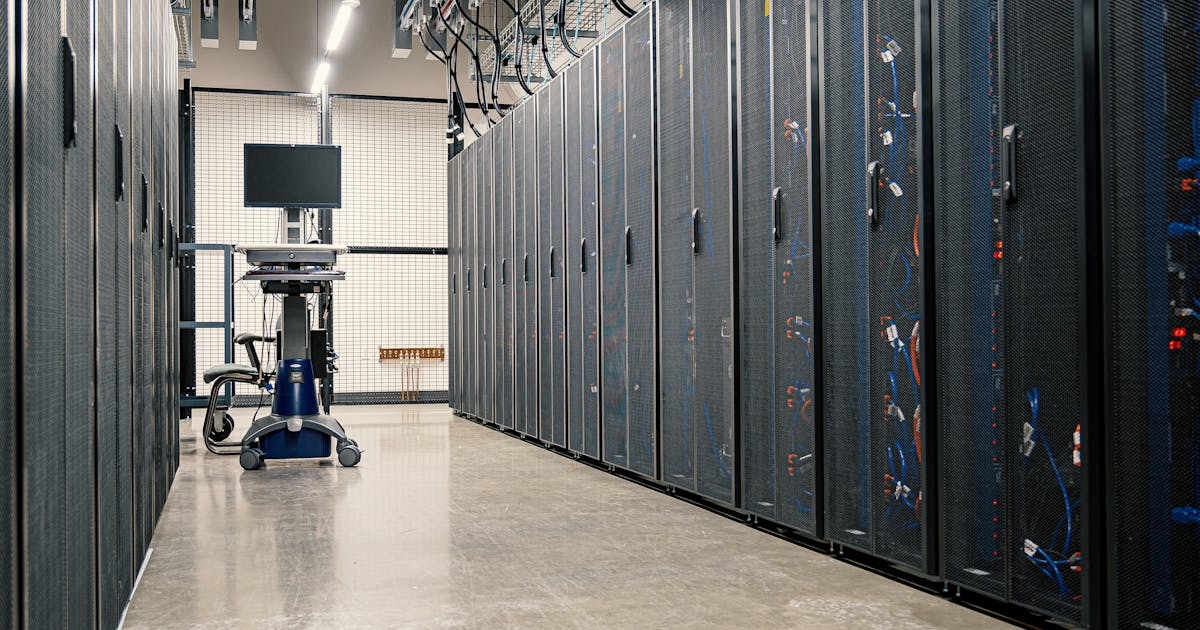
This article treats Macstripe as an Apple Silicon AI infrastructure provider: the unit of design is not "a rented desktop", but a dedicated macOS node that can join an inference pool, expose an API, store model artifacts, and be observed like any other private service. The cover image shows the correct mental model: server infrastructure, cabling, and capacity planning. The Mac Mini M4 is simply the Apple Silicon compute module inside that topology.
Problem
The immediate problem is control. Teams want local inference because prompts, embeddings, documents, and tool outputs may include private source code, customer context, legal drafts, or unreleased product plans. Sending every request to a public API can be simple, but it creates review questions around retention, residency, auditability, and incident response. A local ai server keeps the inference plane closer to the data plane, gives security teams a narrower boundary to inspect, and lets platform engineers decide which models are allowed to run.
The second problem is sizing. A single workstation can run a quantized model, but production-style usage has concurrency, peak hours, restarts, model swaps, logs, health checks, and human users who expect the endpoint to keep answering. One large host is easy to operate until memory pressure or a model update forces downtime. A small apple silicon cluster gives you an alternative: keep each Mac Mini understandable, then spread requests across two or three nodes with a gateway that can drain, probe, and recover workers.
The third problem is cost of wrong assumptions. A cluster is not automatically faster than one machine. It helps when requests are independent, when model shards are not required, and when your bottleneck is request concurrency rather than a single long generation. It hurts when the workload needs a giant model that cannot fit on one node, when every request needs cross-node synchronization, or when the network adds more overhead than the extra workers remove. A practical mac mini inference cluster starts with the workload shape, not with a node count.
Technical Background
Apple Silicon matters for inference because CPU cores, GPU cores, Neural Engine, media engines, and memory are attached through a unified architecture rather than a PCIe-attached discrete GPU with separate VRAM. For LLM serving, the practical benefit is that a model loaded through MLX or another Metal-backed runtime can use a shared memory pool, which reduces the "model fits in system RAM but not in VRAM" failure mode common on small GPU cards. Unified memory is not magic capacity; it is still finite, and macOS still needs headroom for the OS, logs, caches, and worker processes. It does, however, make high-memory Apple Silicon nodes useful for models that would otherwise sit awkwardly between consumer GPUs and enterprise accelerators.
The Metal API is the acceleration layer that makes this viable. MLX is attractive when the team wants an Apple-native stack, predictable tensor execution, and more control over model loading and batching. Ollama is attractive when the team wants a simpler model registry, quick experimentation, and an HTTP surface that developers already understand. For a deeper framework-level comparison, see the existing Macstripe benchmark discussion in MLX vs Ollama for Apple Silicon AI; this cluster article focuses on the infrastructure layer above those workers.
Thunderbolt networking is the cluster feature that deserves more attention. In macOS, two nearby Macs can form a Thunderbolt Bridge interface, giving a high-bandwidth, low-latency private link between nodes without pushing worker-to-worker traffic through the public NIC. In a two-node setup, that link can carry health checks, artifact sync, and private worker traffic. In a three-node setup, you can use a small switch or direct topology depending on port availability and operational preference. The important point is to treat Thunderbolt as a private backplane, while the public or routed interface remains the API ingress path.
Security boundaries should be explicit. Put the gateway on a hardened account, run model workers under non-admin users, keep model storage read-only for the serving process where possible, and separate upload or fine-tuning directories from production model directories. Use FileVault and key-based SSH. If remote administration is needed, prefer a controlled overlay or bastion rather than exposing every worker. For adjacent infrastructure patterns around dedicated Mac nodes and remote engineering lanes, the Macstripe guide on remote Mac Mini build islands is useful because the same SSH, VNC, account, and runner isolation habits apply to AI workers.
Benchmark / Comparison
The numbers below are a planning worksheet, not a published Macstripe SLA and not a substitute for your own run logs. They assume a quantized 7B to 8B class instruct model, warmed workers, short prompts, response lengths around 256 to 512 output tokens, a lightweight gateway, and Thunderbolt Bridge used for private node traffic. Replace the token/s, first-token latency, memory, and power fields with measurements from your model, quantization, context length, and concurrency target before making a purchase or capacity decision.
| Topology | Sustained throughput | First-token latency | Concurrent requests | Memory pressure | Network / power notes |
|---|---|---|---|---|---|
| Single Mac Mini M4 | 35-55 token/s | 450-900 ms | 1-3 interactive streams | Moderate with one 7B/8B model; high with larger context windows | No cluster overhead; simplest power and failure profile |
| 2-node cluster | 70-105 aggregate token/s | 500-1050 ms through gateway | 3-6 interactive streams | Lower per-node pressure if requests are balanced; model duplicated on both nodes | Thunderbolt overhead usually small for request routing; power roughly doubles |
| 3-node cluster | 100-155 aggregate token/s | 550-1200 ms through gateway | 6-10 interactive streams | Best maintenance headroom; one node can drain while two serve | Scheduling matters; gateway and observability become mandatory |
Methodology should be boring and repeatable. Pin the model revision and quantization, record macOS version, runtime version, prompt token count, output token count, concurrency, temperature, and whether the model was already loaded. Run a warm-up phase, then capture at least p50 and p95 first-token latency, total generation latency, completed token/s, failed requests, memory pressure, swap activity, package temperature if available, and power draw at the wall or from a trusted management layer. For cluster tests, record the Thunderbolt interface, gateway routing policy, and whether logs or embeddings were being written to shared storage during the run.
Interpreting the table is as important as filling it in. If p95 first-token latency doubles when you move from one node to two, the gateway may be serializing requests, the model may be cold on one worker, or health checks may be too slow to eject a bad node. If aggregate token/s rises but user-visible latency gets worse, you may have optimized batch throughput for the wrong workload. If memory pressure turns yellow or red under normal traffic, reduce context, choose a smaller quantization target, split model classes by node, or move retrieval and embedding jobs away from the chat workers.
A counterexample is useful: do not add a second Mac Mini just because a dashboard shows 70 percent utilization. Add it when utilization correlates with queueing delay, when maintenance windows are painful, or when security wants a separate staging worker for model updates. For one internal agent with a handful of users, a single well-instrumented Mac Mini M4 may be better than a cluster that nobody watches. For a department-wide assistant with multiple teams, scheduled evaluations, and rolling model changes, two or three nodes become easier to justify.
Workflow / Deployment
Start with a minimal topology. Put one gateway node on the routed network and one or more worker nodes on the private Thunderbolt Bridge network. The gateway terminates TLS, checks authentication, applies request limits, and forwards inference calls to healthy workers. Workers run MLX, Ollama, or both, but avoid mixing too many model classes on the same node during the first release. A simple deployment can use one chat model and one embedding model; a more mature deployment can dedicate one node to interactive chat, one to embedding and retrieval, and one to staging or failover.
On macOS, name every node and interface deliberately. Use static addresses on the Thunderbolt Bridge network, keep hostnames stable, and store a small inventory file in version control. Your first runbook can be as simple as: install command line tools, create a non-admin service user, install Homebrew if your team standardizes on it, install the chosen runtime, download model artifacts to a versioned directory, start the worker under launchd, and expose only the worker port on the private interface. The gateway should talk to worker-a.tb.local or a pinned private address, not to an address that can accidentally move to Wi-Fi or a public interface.
# Example inventory sketch. Replace addresses, ports, and model names.
gateway-01  public: api.internal.example.com  private: 10.44.0.10
worker-01   thunderbolt: 10.44.0.21       model: llama-3.1-8b-instruct-q4
worker-02   thunderbolt: 10.44.0.22       model: llama-3.1-8b-instruct-q4
worker-03   thunderbolt: 10.44.0.23       model: qwen2.5-coder-7b-q4 staging
Model storage needs a policy before it needs clever tooling. Keep immutable model artifacts under a content-addressed or versioned path such as /srv/models/llama-3.1-8b-instruct/q4_2026-05-26/. Point the live worker at a symlink or config value, then roll forward by downloading the new model beside the old one, warming it on a staging port, running a smoke prompt, and switching traffic only after health checks pass. Do not let ad hoc uploads write into the live directory. If storage is tight, delete old artifacts through a scheduled cleanup with a minimum rollback window rather than manual shell history.
For scheduling, keep the first version simple: least-connections for interactive chat, separate queues for long batch jobs, and hard per-user concurrency limits. As traffic grows, add model-aware routing. A request for a code model should not land on a node currently serving a general assistant if that forces a cold load and evicts the hot model from unified memory. A request with a very long context should either go to a high-memory node or be rejected with an explicit error instead of pushing every worker into swap.
Observability should answer four questions quickly: is the gateway reachable, are the workers healthy, is the model loaded, and are users waiting in a queue? At minimum, log request id, user or service id, model id, routed worker, prompt tokens, output tokens, first-token latency, total latency, finish reason, and error class. Export counters for active streams, queue depth, tokens generated, health-check failures, memory pressure, disk free space, and restart count. Keep logs on the node for short-term debugging, then forward sanitized metrics to the system your team already watches.
Failover is a procedure, not a slogan. A worker should be removed from rotation when health checks fail, when memory pressure stays high, when disk free space crosses a threshold, or when the launchd service restarts too often. The gateway should retry idempotent setup calls, but it should not blindly replay a streaming generation after the user has already received partial output. For rolling model updates, drain one worker, warm the new model, run a fixed prompt set, return the worker to the pool, then continue node by node. This is where a three-node cluster feels different from a single host: maintenance becomes a routine routing event rather than a service outage.
Finally, define the security boundary in documentation that operators can actually follow. Store API tokens outside the model directory, rotate gateway credentials, restrict SSH groups, and keep VNC disabled unless a human debugging session needs it. If the system handles regulated content, capture who can upload models, who can change routing, who can read prompts in logs, and how long those logs live. A private AI server is only private if the operational path around it is private too.
Conclusion
A Mac Mini M4 cluster is strongest when you treat it as small, dedicated inference infrastructure: one gateway, a private Thunderbolt backplane, versioned model storage, observable workers, and clear scheduling rules. It is not the right answer for frontier model training or for a single occasional prompt, but it is a serious option for teams that need private inference with Apple Silicon efficiency, macOS manageability, and enough redundancy to update models without turning the service off.
The decision path is straightforward. Build one node first and measure token/s, first-token latency, memory usage, and power draw with your actual model. Add the second node when traffic or maintenance requires separation. Add the third when rolling updates, failover, or staging are part of the service contract. Macstripe's dedicated Mac Mini and Apple Silicon footprint gives infrastructure teams a way to test that path without reframing the project as generic remote desktop work; start from the Macstripe home page when you want to map node size, region, and access pattern to your private AI deployment.
