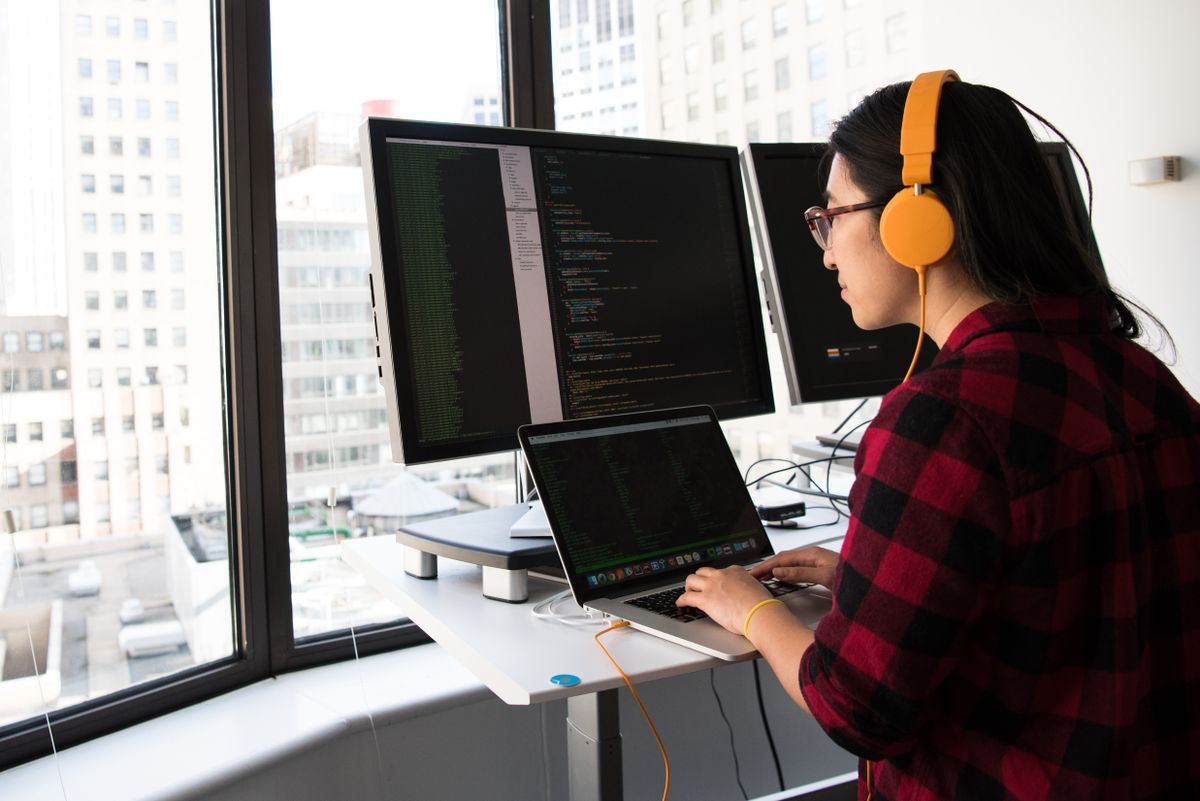
Can you do iOS development on Windows alone? In 2026 that question shows up constantly in .NET shops, game studios, and enterprise IT — often paired with a bolder claim: skip buying a Mac. If your desk runs Windows 11 and you only touch iOS a few times a quarter, what you really want to know is not whether macOS is nice, but whether Windows can be your primary machine end to end.
We ran a full clone-to-TestFlight pass on a Windows 11 + Ryzen 7 / 32GB daily driver using three real repos (native SwiftUI, React Native 0.76, Flutter 3.24). A dedicated M4 Mac mini in Hong Kong handled Apple tooling; our office is in Austin, TX (SSH RTT ~165ms, Xcode 16.2). Bottom line: day-to-day coding stays 100% on Windows; signing and App Store steps must run on macOS — but that Mac does not have to sit on your desk. Below: measured timings, a split-responsibility table, copy-paste commands, and two cases where buying a Mac still wins. For the division-of-labor frame, see Windows/Linux primary + remote Mac build island.
What “independent” actually means
SEO posts and short videos often conflate three different claims. Mix them up and you land at either “must buy a Mac” or “never need a Mac” — both wrong. Split them:
- Claim A: Write code, run Git, do code review on Windows — yes, and that is how most cross-platform teams already work.
- Claim B: Compile iOS
.ipafiles locally, run Simulator, Archive on Windows — no; Apple does not ship that path. WSL2, Docker, and VMs are not supported production options. - Claim C: Keep no Mac on the desk but still ship iOS reliably — yes, by moving Claim B to a remote dedicated Mac, EAS Build, or self-hosted runner.
This article means A + C: your eyes and keyboard stay on Windows; Apple tooling runs elsewhere. That matches debunking the “Xcode for Windows” myth — those installer search results are almost always misleading SEO.
Test setup and three stacks
Local machine and remote node
Windows side: Windows 11 23H2, VS Code 1.92 + Remote-SSH, Git 2.45, Node 20 LTS (RN line), Flutter 3.24 (Flutter line). Remote Mac: dedicated M4 Mac mini 16GB / 256GB, macOS 15.4, Xcode 16.2, Hong Kong node (office Austin TX, SSH RTT ~165ms).
Route 1: native SwiftUI
Edit Swift on Windows; xcodebuild, SwiftUI Preview, and Simulator all via SSH to the remote Mac. First run needs one VNC session for cert trust and keychain approval — after that, headless builds are fine.
Route 2: React Native 0.76
Run npx react-native start on Windows for Metro hot reload. USB forwarding to a remote Mac for iOS device debug is painful; teams usually lean on Android emulator plus a remote Simulator pass before release. Ship with pod install && xcodebuild archive on the remote Mac — same pattern as our build island guide.
Route 3: Flutter 3.24
flutter run -d chrome and Android emulator on Windows cover most UI iteration; flutter build ipa must run on macOS. Full build on the remote Mac took about 6–9 minutes with warm caches.
Who does what: Windows vs Mac
| Task | Windows only (no macOS) | Windows primary + remote Mac | Local MacBook setup |
|---|---|---|---|
| Code / Git | ✅ | ✅ Windows | ✅ macOS |
| JS / cross-platform hot reload | ✅ Android / Web | ✅ Windows + remote Simulator | ✅ |
| Local Swift compile | ❌ | ❌ → remote SSH | ✅ |
| Archive / signing | ❌ | ✅ remote Mac | ✅ |
| TestFlight upload | ❌ | ✅ remote fastlane | ✅ |
| Desktop learning curve | Low | Low (Mac as appliance) | High if macOS is unfamiliar |
| One-time hardware cost | No Mac purchase | No Mac + rental fee | Full MacBook / Mac mini price |
If Apple build time is under ~20% of your week and Windows is already your comfort zone, the remote Mac column usually beats buying hardware. If you live in Simulator and SwiftUI previews daily, a local Mac saves more time — section six covers that.
Reproducible workflow: push to TestFlight
Minimal release path we triggered from Windows and ran on the remote M4 Mac mini (native / RN; swap archive for flutter build ipa on Flutter).
Step 1: commit from Windows
git add . && git commit -m "release: 1.4.0" && git push origin mainStep 2: SSH to remote Mac, pull code
ssh macbuild@your-remote-mac.example
cd ~/repos/MyApp && git pull origin main
pod install --repo-update   # RN / CocoaPods projects
Step 3: Archive and export
xcodebuild -workspace MyApp.xcworkspace -scheme MyApp \
  -configuration Release -archivePath build/MyApp.xcarchive archive

xcodebuild -exportArchive -archivePath build/MyApp.xcarchive \
  -exportPath build/export -exportOptionsPlist ExportOptions.plist
Step 4: upload to TestFlight (fastlane optional)
xcrun altool --upload-app -f build/export/MyApp.ipa \
  -t ios -u "$APPLE_ID" -p "@keychain:AC_PASSWORD"
On Windows you only need two terminals: VS Code locally, one SSH session for build logs. Full engineering flow (signing, CI, resubmission after rejection) is in App Store submission engineering workflow. For always-on CI, hand steps 2–4 to a self-hosted GitHub Actions runner — Windows teammates just merge.
Benchmarks (June 2026)
Repo sizes: SwiftUI ~42k LOC / 38 targets; RN ~120k LOC JS + 6 native modules; Flutter ~28k LOC Dart. Remote Mac: M4 16GB, DerivedData and Pods caches warmed. Single-run numbers — order of magnitude only.
| Step | Native SwiftUI | React Native | Flutter |
|---|---|---|---|
| git pull (Hong Kong node) | 3s | 4s | 3s |
| Deps install (cache hit) | — | pod 2m 40s | — |
| Deps install (cold) | — | pod 11m 20s | pub get 45s |
| Release Archive / ipa | 4m 55s | 6m 10s | 7m 30s |
| TestFlight upload | 2m 15s | 2m 20s | 2m 10s |
| Total (warm cache) | ~7 min | ~11 min | ~10 min |
Human wait time on Windows is mostly watching SSH logs — grab coffee. Bottleneck is remote compile and link, not your Ryzen box. GitHub-hosted macOS runners often spend more time queued than building — one reason the 2026 iOS pipeline playbook pushes dedicated build islands.
Boundaries: when you still need a Mac
“Skip the Mac” breaks down here — forcing remote-only costs more time than it saves:
- Heavy SwiftUI / UIKit previews: dozens of layout tweaks per day, Xcode Canvas, multi-device Simulator — VNC latency wears you down; a local Mac pays off.
- Instruments / performance work: leaks, jank, Metal debugging need low-latency attach; remote works but feels a tier worse.
- Offline / air-gapped: source cannot leave the corporate network or touch cloud Macs — on-prem Mac farm or owned hardware only.
- Massive 7×24 CI throughput: hundreds of full builds daily — long-term rental TCO can exceed owned Mac mini clusters; run the spreadsheet, not just daily rate.
Common middle ground: keep Windows on the laptop, rent a remote M4 for ship week, or park a company Mac mini in the server room as a build node. Live pricing on the pricing page; try a day rental first to measure RTT from your office.
FAQ
Can you develop iOS on Windows with zero Mac involvement?
No. Apple tooling — xcodebuild, codesign, notarytool, TestFlight upload — must run on macOS. “Independent” here means your daily desk stays Windows while macOS lives on a remote dedicated node or CI, not that Xcode runs natively on Windows.
Can I install Xcode in WSL2 or Docker?
No. Xcode and the iOS SDK are macOS-only. WSL2 and Linux containers are not supported production paths. Hackintosh VMs violate Apple’s license and fail enterprise security review.
What’s the lowest-cost legal path to ship iOS without buying a Mac?
Code on Windows, rent a dedicated remote M4 Mac mini for release weeks (SSH + xcodebuild / fastlane), or use EAS Build for RN/Expo. GitHub-hosted macOS runners work for occasional builds but handle certificates and cache persistence poorly.
Can I write Swift in VS Code on Windows?
Yes for editing and Git — but you cannot compile iOS targets locally. Use Remote-SSH to a Mac for swift build / xcodebuild, or trigger remote builds from CI.
How do React Native / Flutter teams ship iOS from Windows?
RN: eas build --platform ios or a self-hosted workflow with pod install + xcodebuild on a remote Mac. Flutter: Codemagic / GitHub Actions macOS jobs, or SSH to a remote Mac for flutter build ipa.
Does the iOS Simulator run on Windows?
Not natively. Use VNC to a remote Mac for Simulator, or debug the JS layer on Windows with Metro/React Native hot reload; native SwiftUI previews still need macOS.
Remote Mac vs buying a Mac mini — how do I choose?
Buy if you run 7×24 fixed load and want to own hardware ops. Rent a dedicated remote M4 for release sprints, elastic CI, and teams that refuse to switch their daily desktop to macOS — try daily billing first.
Are “Xcode for Windows” installers trustworthy?
No. Apple has never shipped Xcode for Windows. Those search results usually mean a remote Mac, cloud signing for cross-platform frameworks, or a CI macOS runner — not native Xcode on Windows.
Summary
Back to the headline: can Windows be your primary iOS dev machine? Yes — if you define “independent” correctly. Code, review, and cross-platform hot reload stay on Windows; Archive, signing, and store upload need macOS, and that Mac can be a remote dedicated M4, not a new MacBook on your desk.
- “Xcode for Windows” does not exist; WSL / Hackintosh are not production paths.
- Swift, RN, and Flutter all ship via Windows primary + remote Mac; warm-cache releases run ~7–11 minutes.
- Simulator-heavy daily work (2+ hours) or Instruments power users should still buy a local Mac.
- Weekly release cadence? Renting a remote Mac mini by the day often beats buying hardware for 20% of the workload.
Next step: rent an M4 for a day from your office, SSH in, run pod install + xcodebuild archive on your real repo, and let measured RTT and build time replace blog opinions.
Related reading
- Windows/Linux primary + remote Mac Mini build island
- iOS without a local Mac: debunking “Xcode for Windows”
- Cloud Mac mini: 2026 procurement and hosting guide
- GitHub Actions iOS pipeline: a new playbook for 2026
- Self-hosted Mac runners, Actions cache, and persistent disk FAQ
- App Store submission: Xcode CI/CD engineering workflow
